
Reliable sea freight solutions for large and international shipments, ensuring safe handling and timely delivery.

Fast and secure air cargo services designed for urgent and time-sensitive deliveries.

Flexible and cost-effective road transport services for local and nationwide deliveries.

Need help moving? Book our trusted moving services in just a few clicks. Get an instant online quote or call our team to get started today.
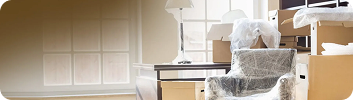
Our experienced team arrives on time with a fully equipped removals van, ready to handle your move safely, efficiently, and with minimal disruption.
Sit back and relax while we take care of the heavy lifting. From packing to transport, we ensure a smooth, stress-free move from start to finish.
We offer flexible and secure payment options for your convenience. Choose a payment method that suits you best and enjoy a hassle-free booking experience.
From fragile items to heavy cargo, MetroVan follows strict safety protocols to guarantee secure transportation and damage-free delivery.

Log in to your admin dashboard and go to your profile or account settings. Click on the profile photo section, upload a new image, and save the changes. Your updated photo will appear immediately.
Go to your account settings from the admin dashboard. Select the “Change Password” option, enter your current password, then set and confirm your new password. Save the changes to update your password.
Navigate to the billing or subscription section in your dashboard. Choose the plan you want to upgrade or change to, select PayPal as your payment method, and confirm the changes. Your subscription will be updated once payment is completed.
You can modify your subscription at any time by visiting the subscription settings in your admin dashboard. Select PayPal, choose a new plan, and confirm the update through PayPal’s secure checkout.
From your dashboard, open account settings and select “Security.” Enter your existing password, set a new one, and save to apply the changes securely.
Access your profile section in the admin panel, click on the profile image, upload a new photo, and save. The new image will replace the old one instantly.